> ## Documentation Index
> Fetch the complete documentation index at: https://docs.acelabusa.com/llms.txt
> Use this file to discover all available pages before exploring further.
# Firm Library Overview
> Learn what the Firm Library is and how it can help your company improve standardization, innovation, and organization.
*Written by Armaan Shah · Updated March 19, 2026*
***
## What is the Firm Library?
The Firm Library is a digital, cloud-based library to store and organize your company's product standards. As a central location for the company's **collective historical knowledge**, it can be accessed, shared, and improved by the team anytime and anywhere. Even better, materials and products can be organized by project type and include all relevant supporting information, images, inspirations, product reps, CAD details, cut sheets, project tags, and commentary about the actual experience with the product and vendors.
The **Firm Library is the starting point to streamline the workflow for materials planning and selection for each new project**, ensuring standardization and continuous improvement of the company's material knowledge of new product innovations.
***
## How Can the Firm Library Help You?
* Easily **find and update** product standards
* **Standardize** successful product selections across project teams
* Increase the firm's **innovation** by adding new learnings about materials in a central, easily accessible location
* **Increase the productivity of remote teams** that may not have immediate access to firm experts
* **Retain knowledge** even when a collaborator leaves the firm
***
## How Does the Firm Library Work?
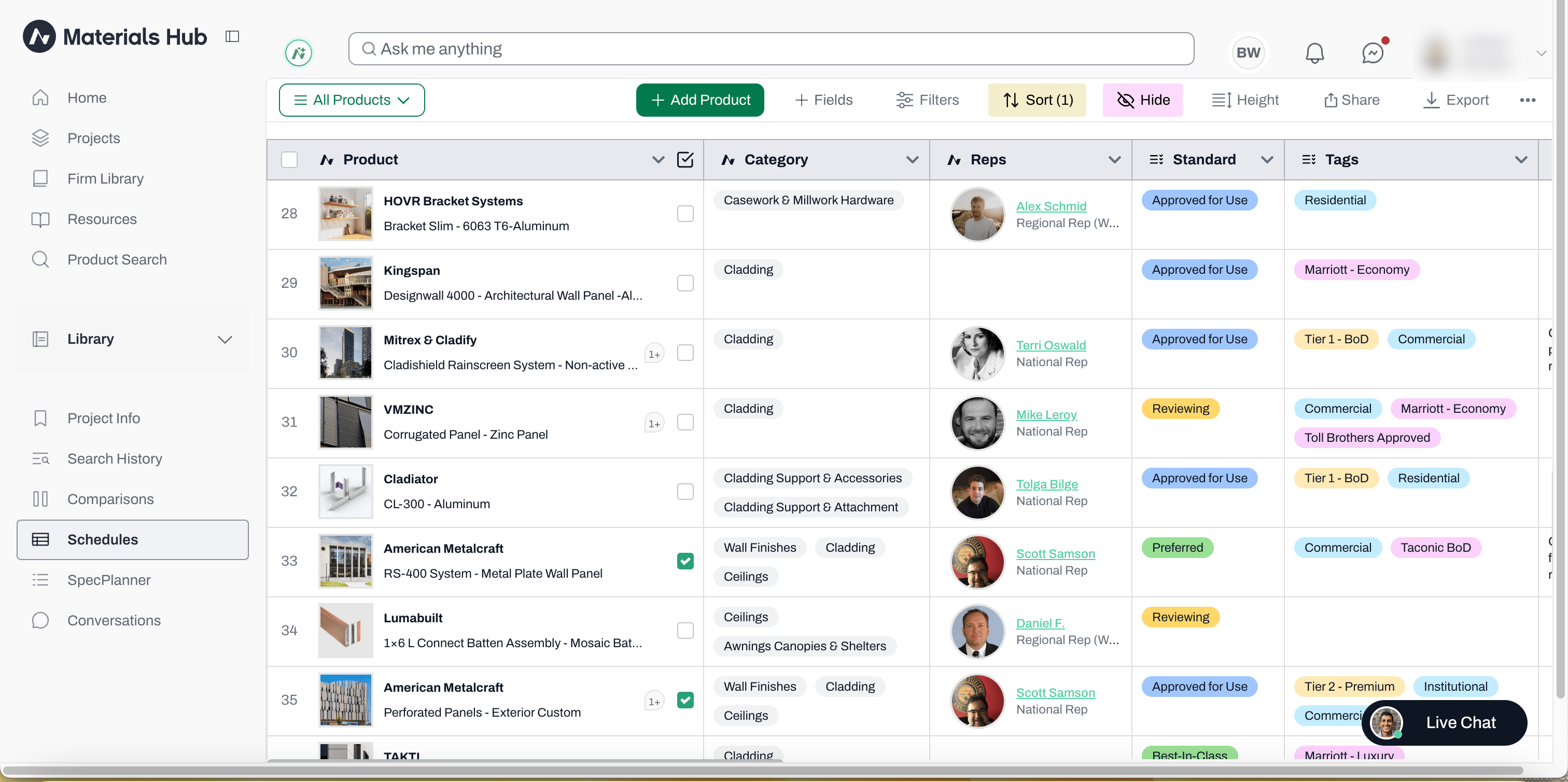
The Firm Library is a special kind of Project in Acelab's Material Hub. Therefore, it essentially works like other projects. It can be accessed from its dedicated **Library** entry in the left-side navigation.
* Like other projects, all products saved to the Library are stored in Schedules, organized by category.
* All of the Schedules functionalities (Views, Filters, Sort, Hide, etc) work in the Library as they work in other projects.
The Library entry appears as **Library** by default. Firms on Pro or Premium plans can rename it (for example, to "Firm Library" or your firm's own naming) from company settings, and the new name will show throughout the app and in the left-side navigation.
***
## How is the Firm Library Different From Other Projects?
* The Firm Library appears on the left-side navigation automatically as a dedicated **Library** section, separate from your Projects list.
* All team members who join your company in Acelab will have **access to the Firm Library**. Access to each project is handled separately.
* The **goal of the Firm Library** is different than the goal of a project. While projects store products in consideration or selected for a particular project, the Firm Library will store materials the firm has considered/used before and want to retain knowledge about (either to reuse it, or to avoid it).
***
## How to Get Started
There are two ways to get your Firm Library set up:
**1) Firm Library Implementation Support**
* A dedicated Acelab team provides implementation support on case by case basis.
**👉 To learn more and check your company's eligibility, click [here](/help-center/building-your-firm-library/getting-started-with-your-library).**
**2) Self-Implementation**
* If your company does not quality for Material Hub Concierge, don't worry! You will certainly be able to take advantage of the Material Hub. We will provide you the resources and guidance needed for you to implement your library at your own pace.
👉 **To get started on the Self-Implementation process, [follow the steps here.](/help-center/building-your-firm-library/self-implementation-setting-up-your-library-at-your-own-pace)**
***
## Firm Library Roles and Permissions
Roles and Permissions in the Firm Library is dependent upon the Role and Permission designation at the Company Level. To change someone's Firm Library Role, go to your [Company's page](/help-center/getting-started/permissions-in-acelab) and adjust that person's role.
 ***
## How Can the Firm Library Help You?
* Easily **find and update** product standards
* **Standardize** successful product selections across project teams
* Increase the firm's **innovation** by adding new learnings about materials in a central, easily accessible location
* **Increase the productivity of remote teams** that may not have immediate access to firm experts
* **Retain knowledge** even when a collaborator leaves the firm
***
## How Does the Firm Library Work?
The Firm Library is a special kind of Project in Acelab's Material Hub. Therefore, it essentially works like other projects. It can be accessed from its dedicated **Library** entry in the left-side navigation.
* Like other projects, all products saved to the Library are stored in Schedules, organized by category.
* All of the Schedules functionalities (Views, Filters, Sort, Hide, etc) work in the Library as they work in other projects.
***
## How Can the Firm Library Help You?
* Easily **find and update** product standards
* **Standardize** successful product selections across project teams
* Increase the firm's **innovation** by adding new learnings about materials in a central, easily accessible location
* **Increase the productivity of remote teams** that may not have immediate access to firm experts
* **Retain knowledge** even when a collaborator leaves the firm
***
## How Does the Firm Library Work?
The Firm Library is a special kind of Project in Acelab's Material Hub. Therefore, it essentially works like other projects. It can be accessed from its dedicated **Library** entry in the left-side navigation.
* Like other projects, all products saved to the Library are stored in Schedules, organized by category.
* All of the Schedules functionalities (Views, Filters, Sort, Hide, etc) work in the Library as they work in other projects.