> ## Documentation Index
> Fetch the complete documentation index at: https://docs.acelabusa.com/llms.txt
> Use this file to discover all available pages before exploring further.
# Ask Ace: Acelab's AI-Powered Co-Pilot
> Learn how to use the co-pilot to streamline product research.
*Written by Armaan Shah · Updated February 10, 2026*
***
## Introduction
Ace is an AI-powered co-pilot that helps architects find the ideal products for their projects. By understanding project requirements and user preferences, Ace streamlines the product selection process, eliminating hours of research and comparison analysis. This intelligent agent provides personalized recommendations across various categories, ensuring users can confidently select the right tools and materials for any task.
***
## What can you get from Ace?
* **Project-Based Recommendations**
* Ace analyzes project requirements to suggest the most appropriate products, considering factors like quality, compatibility, and budget
* **Personalized Research Experience**
* Ace learns your preferences over time to deliver increasingly tailored product suggestions
* **Knowledge Research**
* Ace provides general building material and product information, design and construction best practices, energy codes, and more
* **Cross-Category Expertise**
* Ace provides informed recommendations across diverse product categories, from windows to interior finishes
* **Comparison**
* Ace evaluates multiple options based on price, features, and performance to recommend optimal options
***
## How to Ask Ace
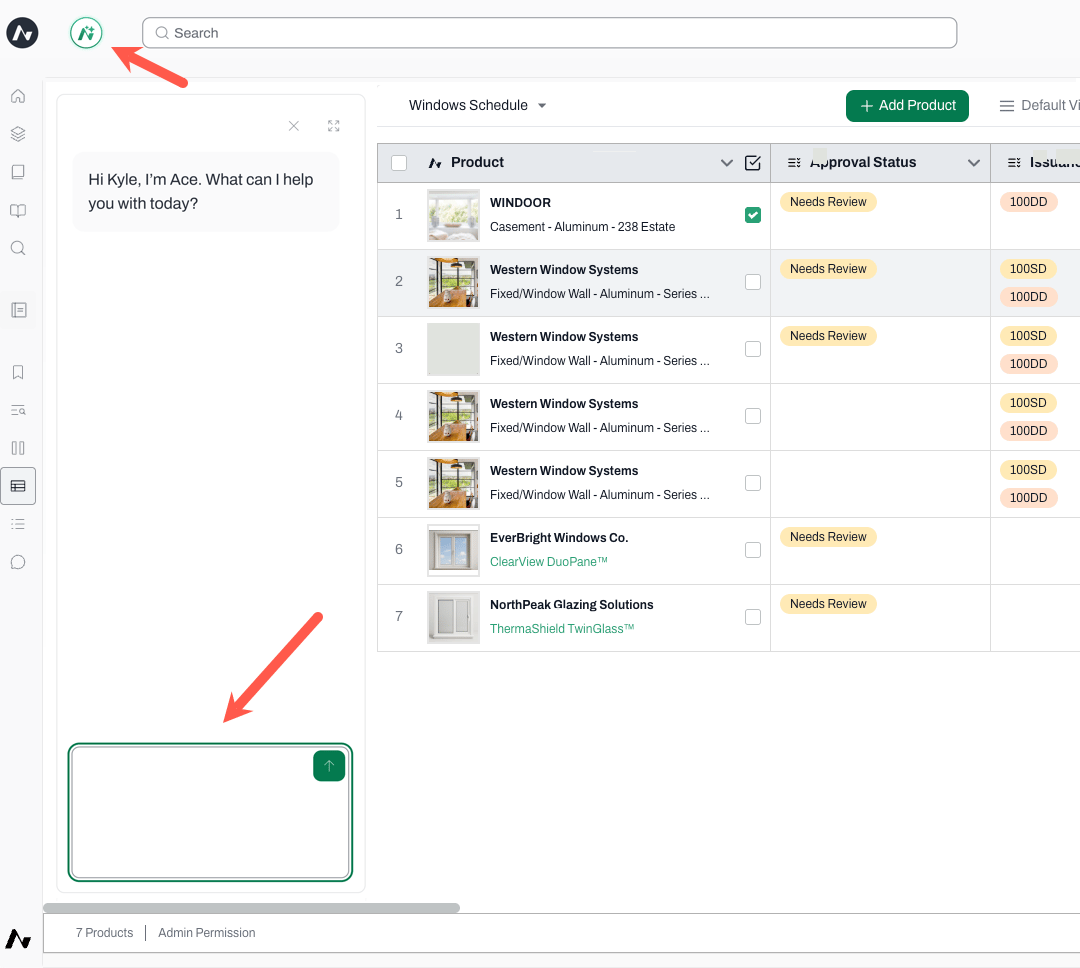
**Using the Ace icon**
* Access Ace by clicking on the **Ace icon at the top bar**
* A chat window will open to the left of the workspace
* Type your question and hit the arrow to submit it
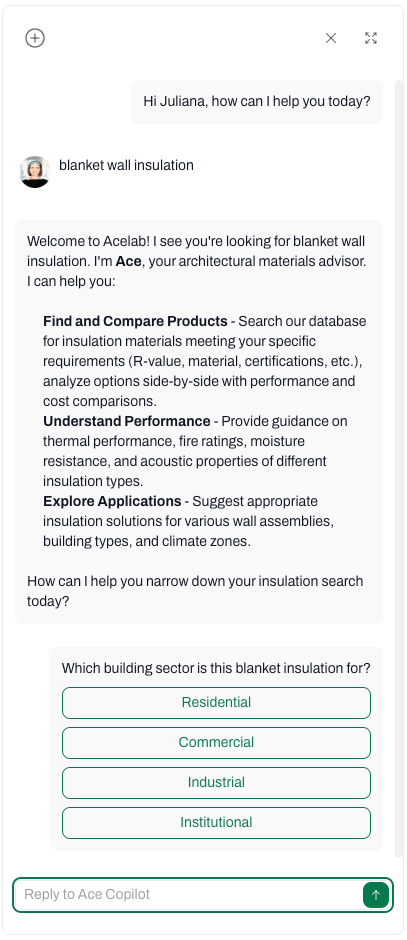
* Ace's answer will appear in the chat
* You may continue to chat and ask additional questions
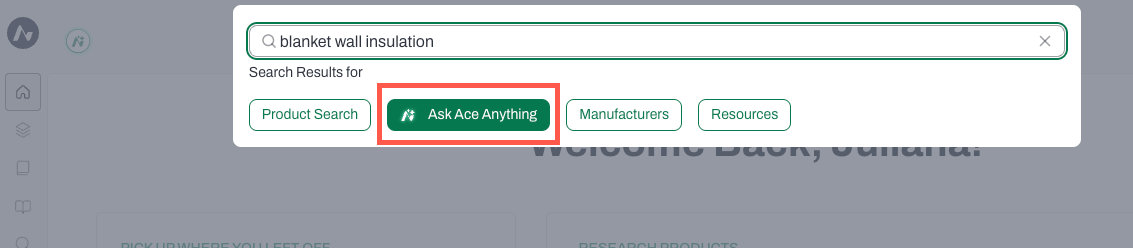
**Using the search bar**
* Click on the **search bar**
* A few options will appear below the bar
* Select **Ask Ace Anything**
* Type your question or key words
* A chat window will open to the left of the workspace
* Ace may ask you additional questions
* Continue to chat and ask additional questions
***
## Tips to Refine Ace's Product Recommendations
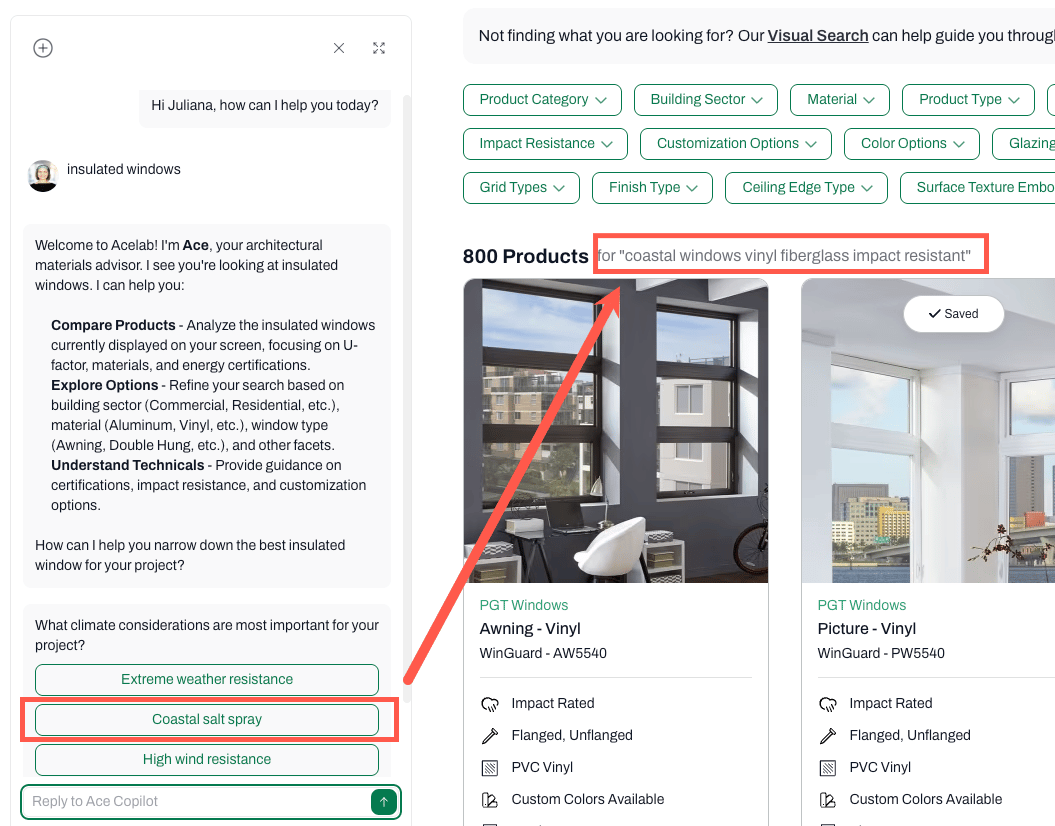
* When interacting with Ace for product recommendations, you may be asked additional questions with options to choose from
* Select an option and the product search result will appear to the right of the chat window
* If the chat window is expanded, click on the icon at the top-right corner to move it to the left of the screen, so you can see the search results
**Tip:** The results will update as you engage with Ace. For example, when searching for "insulated windows", Ace may ask you for additional criteria (such as what climate considerations are important). Select an option and the results update to show insulated windows that match the chosen climate considerations. The search results will continue to be updated as you add requirements.
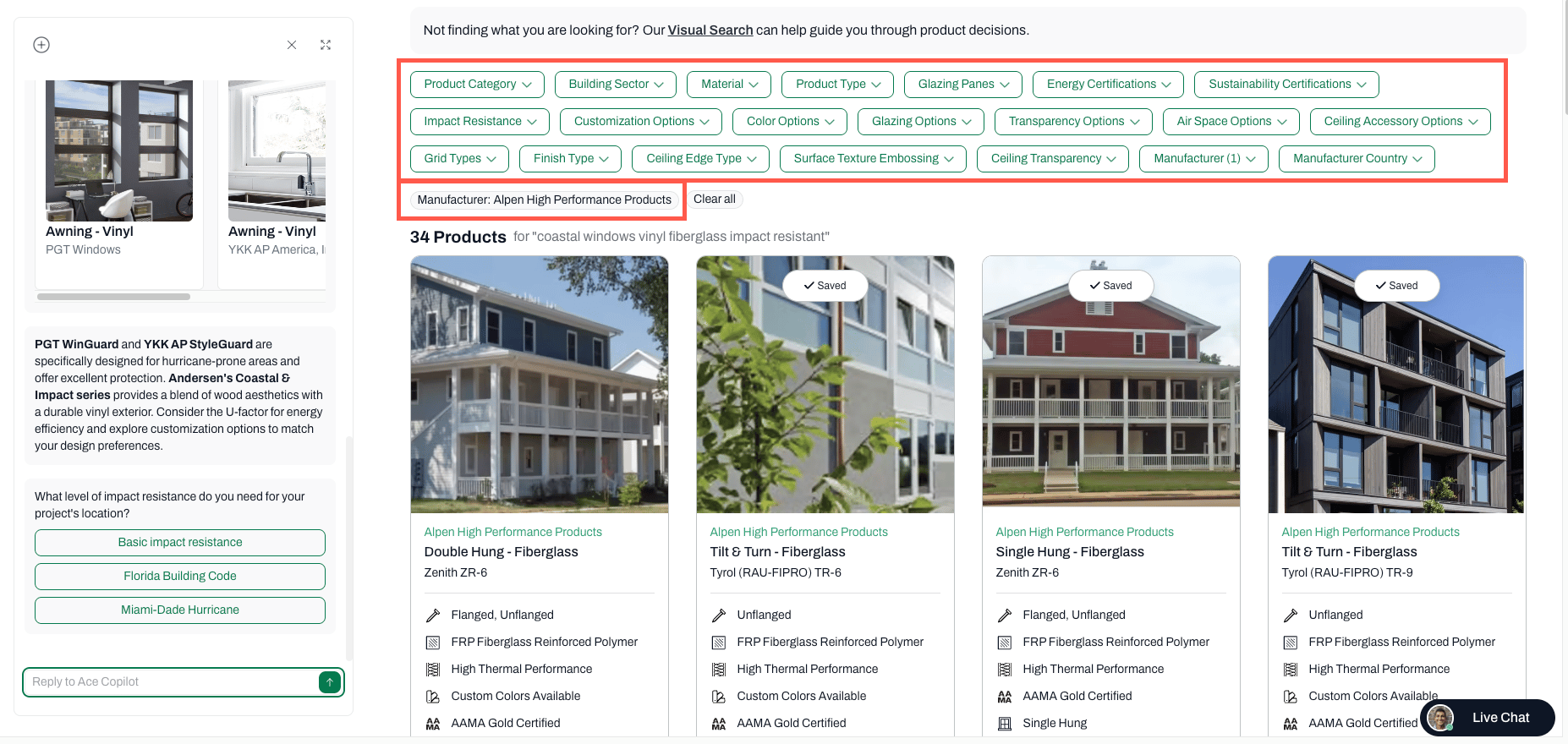
* Use the filters displayed at the top of the search results to narrow it down. As you continue to interact with Ace, the results will take into account the filters you selected.
* For example, in your search for insulated windows you select a specific manufacturer. When you ask Ace to include only impact-rated window, it will show results for impact-rated windows from the chosen manufacturer only.
***
## Expand or close the chat window
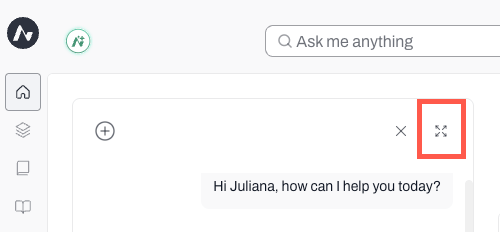
* To expand the chat window, click on the extend icon at the top right corner of the window
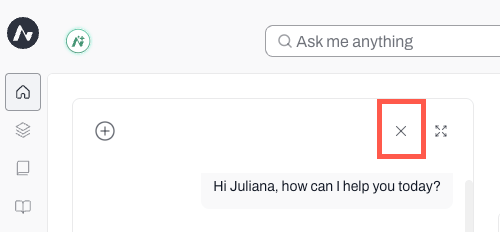
* To close the chat window, click on the X icon at the top right corner of the window
***
## Starting a new search
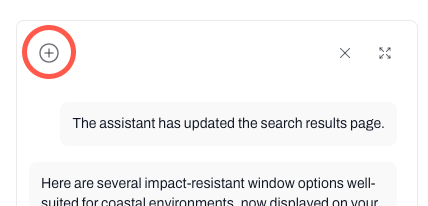
* Ace analyzes the ongoing conversation with you to refine its recommendation, so if you need to research another kind of product, be sure to start a new search using the + sign at the top left corner of the chat window
 **Using the search bar**
* Click on the **search bar**
* A few options will appear below the bar
* Select **Ask Ace Anything**
* Type your question or key words
* A chat window will open to the left of the workspace
* Ace may ask you additional questions
* Continue to chat and ask additional questions
**Using the search bar**
* Click on the **search bar**
* A few options will appear below the bar
* Select **Ask Ace Anything**
* Type your question or key words
* A chat window will open to the left of the workspace
* Ace may ask you additional questions
* Continue to chat and ask additional questions
 * Use the filters displayed at the top of the search results to narrow it down. As you continue to interact with Ace, the results will take into account the filters you selected.
* For example, in your search for insulated windows you select a specific manufacturer. When you ask Ace to include only impact-rated window, it will show results for impact-rated windows from the chosen manufacturer only.
* Use the filters displayed at the top of the search results to narrow it down. As you continue to interact with Ace, the results will take into account the filters you selected.
* For example, in your search for insulated windows you select a specific manufacturer. When you ask Ace to include only impact-rated window, it will show results for impact-rated windows from the chosen manufacturer only.
 ***
## Expand or close the chat window
* To expand the chat window, click on the extend icon at the top right corner of the window
***
## Expand or close the chat window
* To expand the chat window, click on the extend icon at the top right corner of the window