

Benefits of Saving Products
- Enables side-by-side comparisons of selected products
- Streamlines the decision-making process during material selection
- Facilitates collaboration through shareable links and organized project tracking
- Allows you to add comments and attach files to products
How to Save Products
From a Search Result
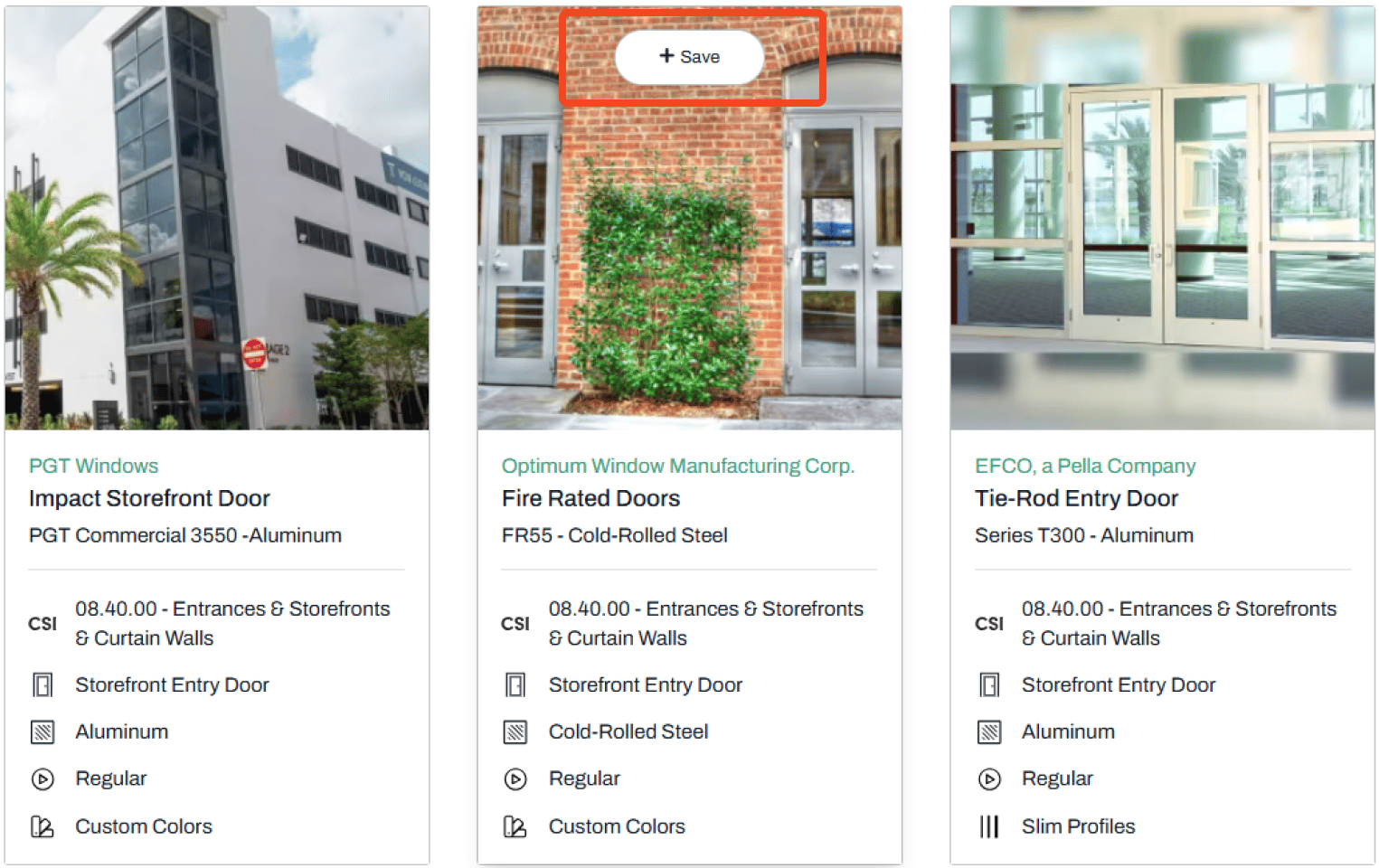
- Hover over the product card image
-
Click to Save the item
-
Select the project where you want to save the product

Note:
- You can save the product to your Firm Library or General Research without associating it with a project
- You can also create a New Project
- Saving products to a specific project helps with organization and easier engagement with product representatives
From a Product Page
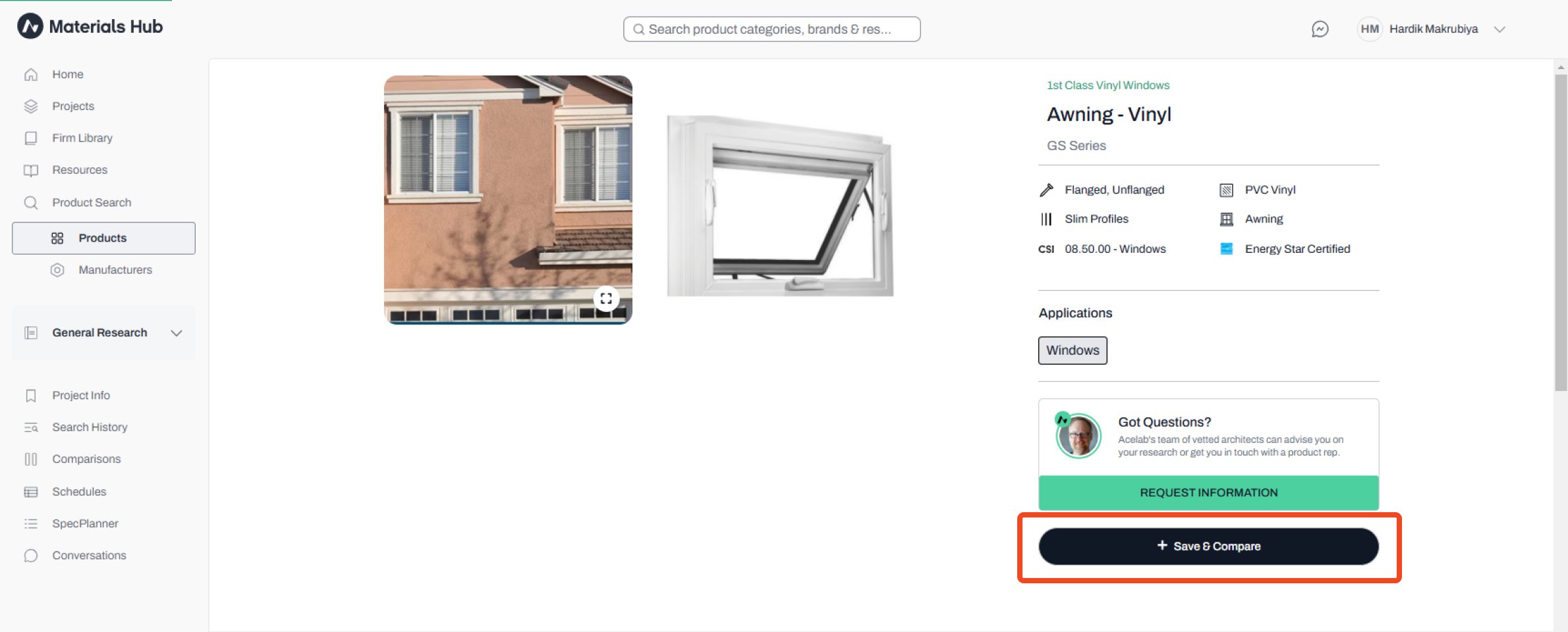
- Navigate to the product’s page
-
Click the Save&Compare button in the lower right corner
-
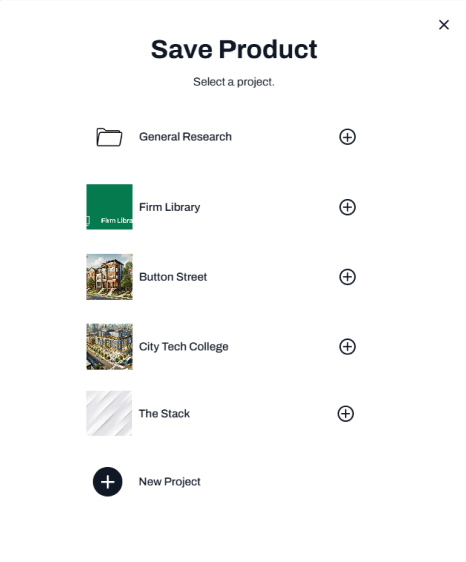
Select the project where you want to save the product
Note:
- You can save the product to your Firm Library or General Research without associating it with a project
- You can also create a New Project
- Saving products to a specific project helps with organization and easier engagement with product representatives.
📚 Keep Learning 📚