Signatories of the AIA Architecture & Design Materials Pledge report the products on their projects in AIA’s product reporting workbook. The workbook asks, for each product, which documents and certifications support the five impact categories: Human Health, Social Health & Equity, Ecosystem Health, Climate Health and Circular Economy.Material Hub can fill this workbook for you from your project’s All Products schedule. Each product becomes one itemized row, with the project, the AIA product type and every answer that the product’s certifications support, in AIA’s own dropdown wording.
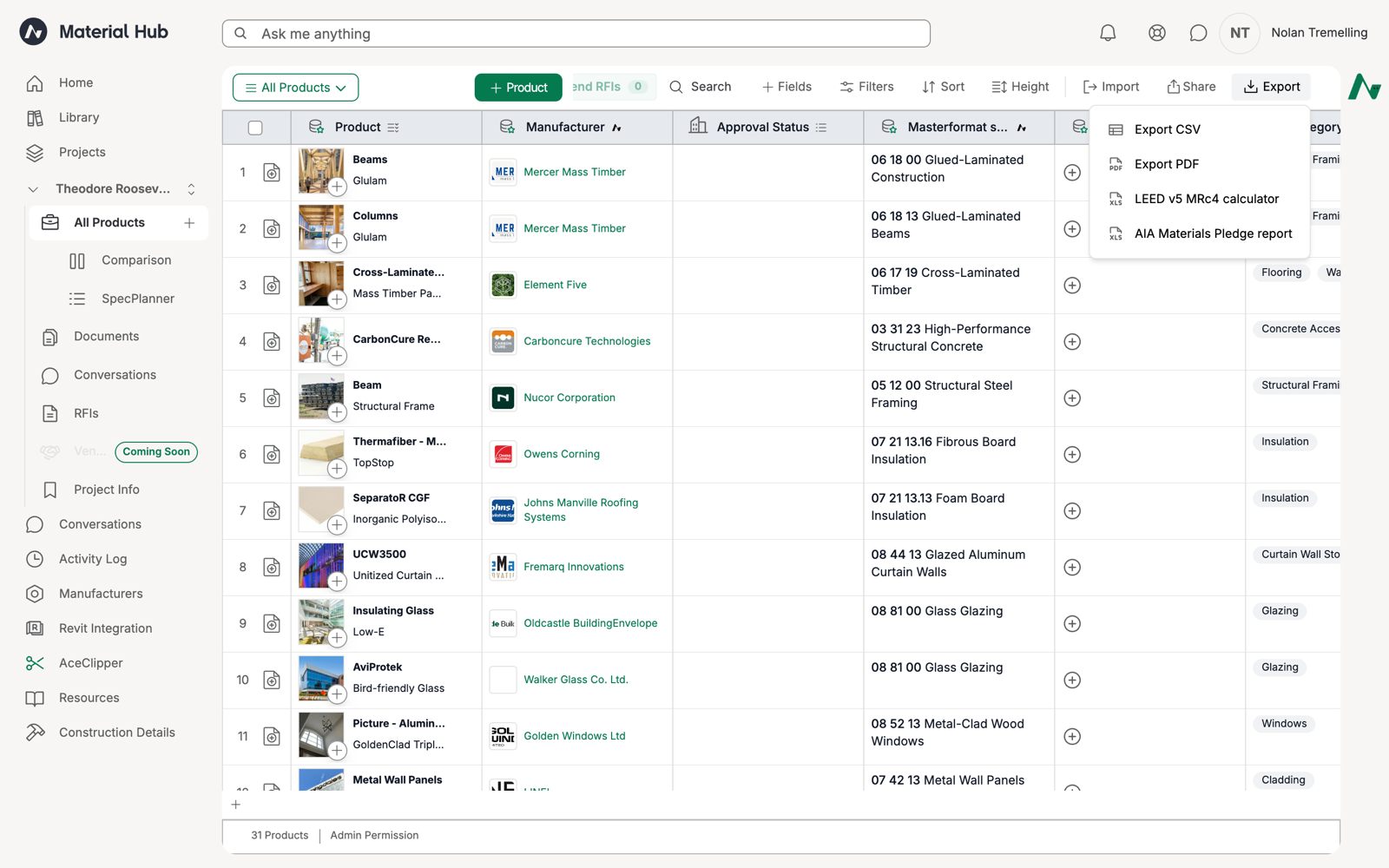
The AIA Materials Pledge report option in the schedule Export menu.
In your project, open Schedules and select the All Products view. Click Export in the top right, then click AIA Materials Pledge report.
2
Choose the products to report
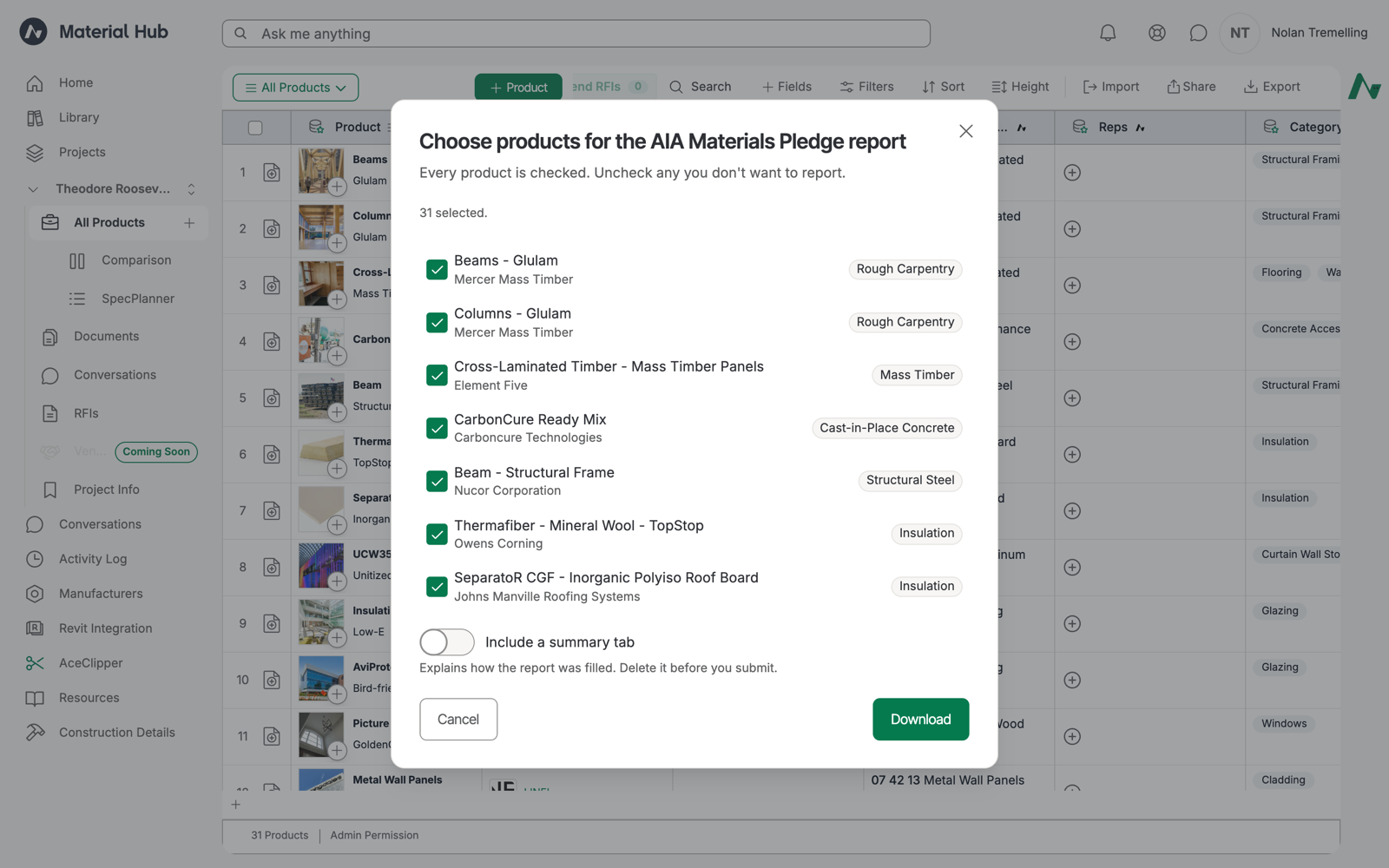
Material Hub loads every product on the schedule and opens the product picker. Every product is checked. Uncheck any you do not want to report.Each row shows a badge with the product’s AIA Product Type, such as Mass Timber or Carpeting, or No product type when Acelab has nothing to match on.
The product picker. Every product is checked by default.
3
Decide on the summary tab
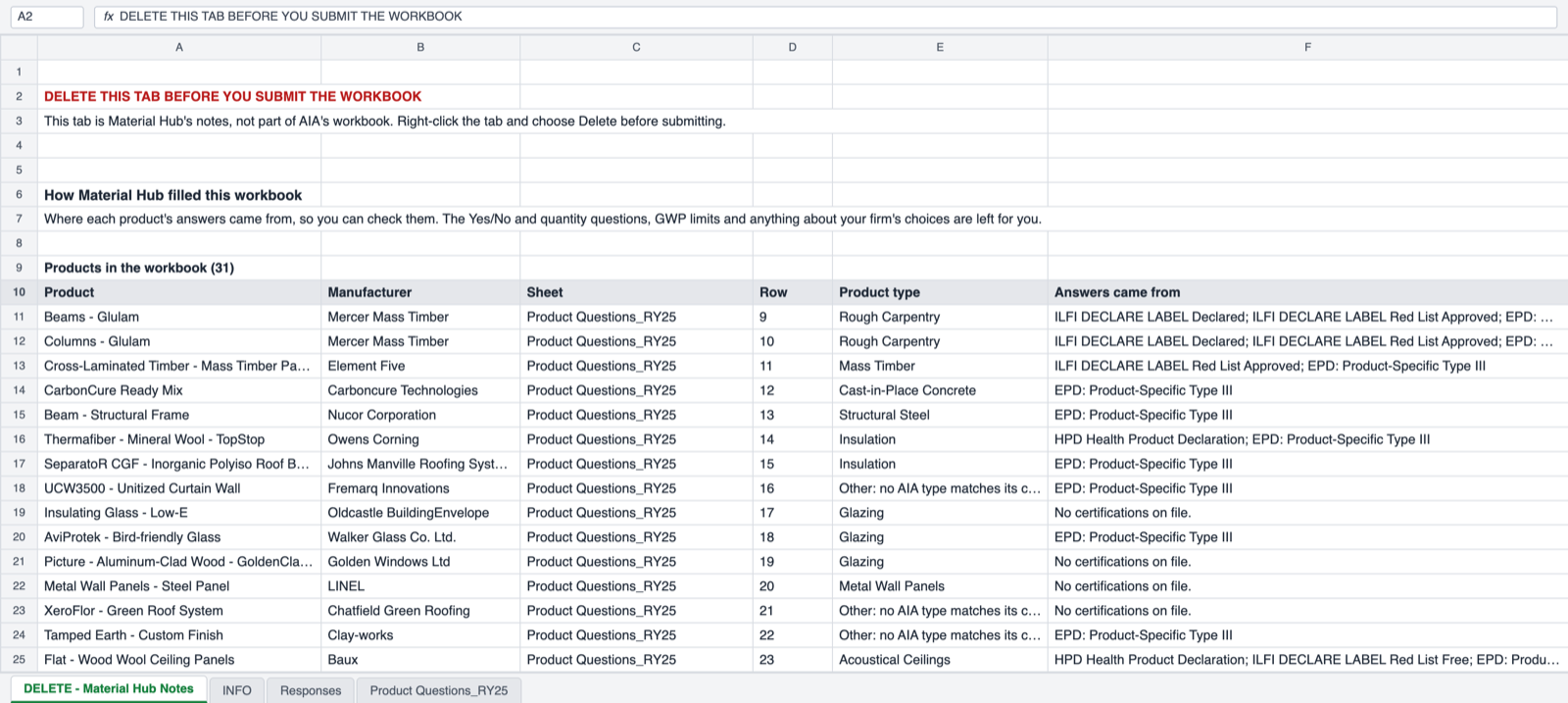
Keep Include a summary tab on while you review the file. The tab lists each product, its row, its product type and the certifications its answers came from. Turn it off for a clean file, or delete the tab before you submit.
4
Download
Click Download. Material Hub saves the workbook as [Project]_All Products_AIA-Materials-Pledge_[date].xlsm.
The file is a macro-enabled workbook (.xlsm). When Excel asks, click Enable Content. AIA’s macro lets one cell hold several answers. Without it, a second choice in a cell replaces the first.
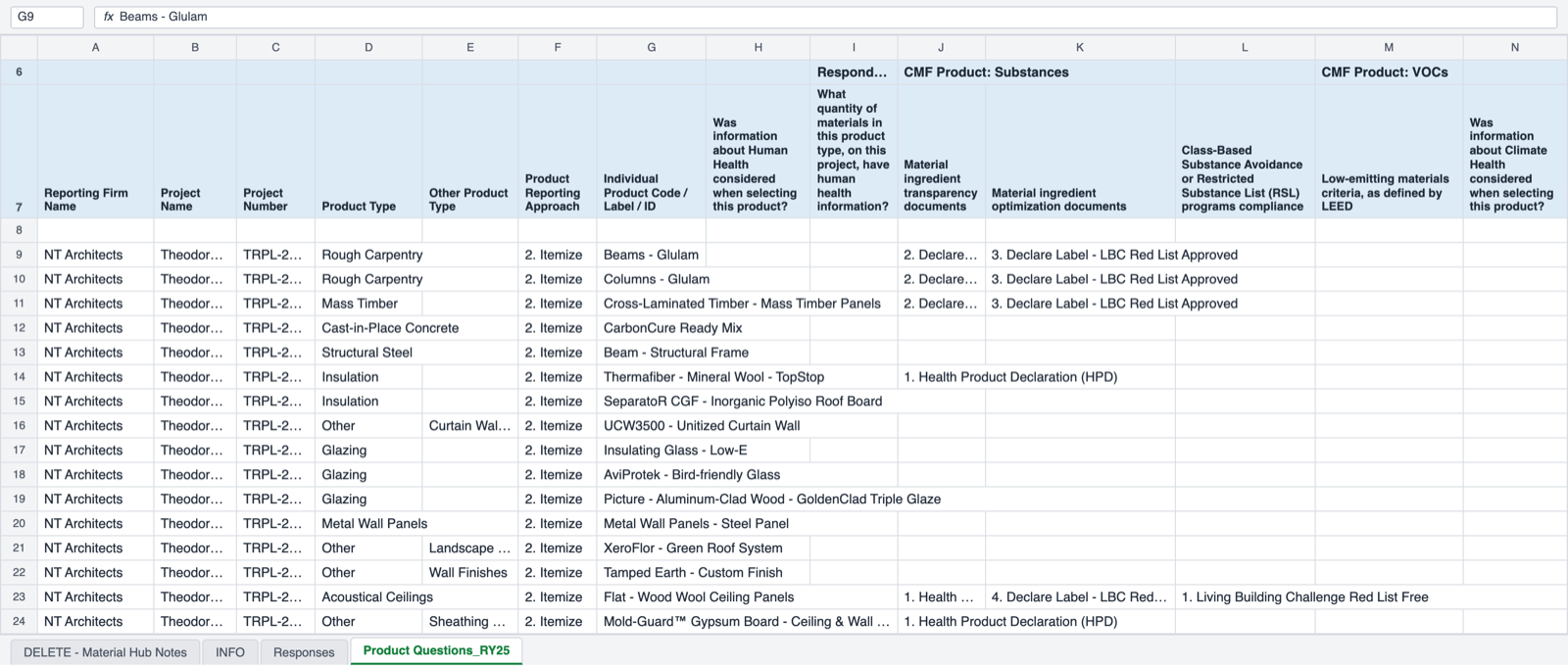
The filled Product Questions sheet. Each product is one row from row 9 onward.
Material Hub writes to the Product Questions_RY25 sheet. The sheet holds 192 products. If you choose more, Material Hub adds copies of the sheet and says so in the notes tab.
AIA’s type, from the product’s MasterFormat section or Acelab category. Other when none matches, with the Acelab categories written in Other Product Type
Material Hub answers a question only when a certification or document on the product proves it. The table below shows what counts as proof.
Human Health
Transparency documents: Health Product Declaration (HPD), Declare label
Optimization documents: HPD at 100 ppm or 1,000 ppm, Declare Red List Approved or Red List Free, Cradle to Cradle Silver or higher, Cradle to Cradle Material Health Certificate Silver or higher, BIFMA LEVEL, Living Product
Class-based substance avoidance: Living Building Challenge Red List Free
Low-emitting materials: GREENGUARD Gold, Indoor Advantage Gold, Green Label Plus, ClearChem, FloorScore, MAS Certified Green, No Added Formaldehyde, No Added Urea Formaldehyde
Climate Health
Transparency documents: product-specific EPD, Living Product certification
Optimization certifications: Cradle to Cradle, GreenCircle, an EPD below a GWP limit
Biogenic materials: FSC, SFI or PEFC wood products; biobased content
Ecosystem Health
Environmental impacts and biodiversity: Cradle to Cradle full product certification, Living Product Challenge, BIFMA LEVEL, FSC, SFI, Responsible Wool Standard
Social Health & Equity
Equity policies and programs: JUST label, B Corp
Labor risks: Cradle to Cradle, Living Product Challenge, FSC, SFI
Circular Economy
Recycled content:Yes when the product has pre- or post-consumer recycled content or a recycled content certification
Sourcing: Cradle to Cradle, Cradle to Cradle Circularity, GreenCircle, BIFMA LEVEL, Living Product
End of life: USGBC-listed Extended Producer Responsibility, Living Product, Cradle to Cradle, Cradle to Cradle Circularity
FSC Controlled Wood does not count as FSC certified, and BIFMA performance standards do not count as BIFMA LEVEL. Material Hub follows the certification’s own scope.
The optional notes tab shows the certifications behind each product's answers.
You can also ask Ace. In a project, ask for a Materials Pledge report, for example “Export the AIA Materials Pledge report for this project.” Ace replies with a report card. Click Choose products to open the same product picker and download the same file.
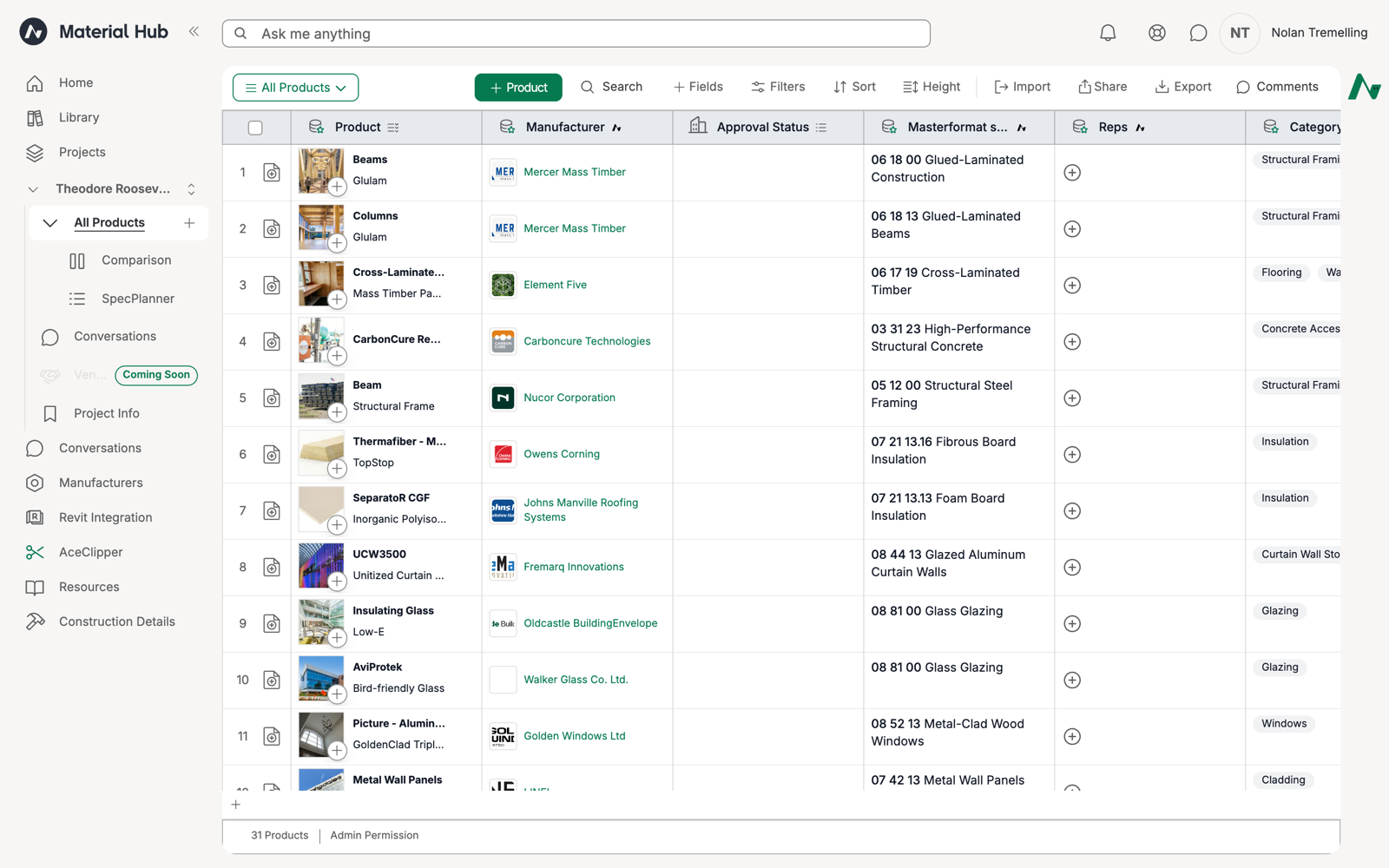
The demo project Theodore Roosevelt Presidential Library holds 31 products across structure, enclosure, interiors, furniture and MEP.
The demo project's All Products schedule.
The export wrote 31 rows. A few examples of what the certifications on file produced:
Product
Product Type
Answers filled from
Mercer Mass Timber glulam beams
Rough Carpentry
Declare label, Declare Red List Approved, EPD
Element Five cross-laminated timber
Mass Timber
Declare Red List Approved, product-specific EPD
Forbo Marmoleum linoleum
Other (Flooring)
HPD, Declare Red List Free, Living Building Challenge Red List Free, EPD
Interface carpet tile
Carpeting
HPD, HPD pre-checked at 1,000 ppm, Green Label Plus, Cradle to Cradle Silver
Caesarstone quartz countertop
Countertops
HPD, Declare Red List Free, GREENGUARD Gold, EPD
Davis Furniture lounge chair
Furniture
BIFMA LEVEL 1, Indoor Advantage Gold
Products without certifications on file, such as the hollow metal doors, still get their identification columns and product type. Their answer columns stay empty for you to complete.