

1
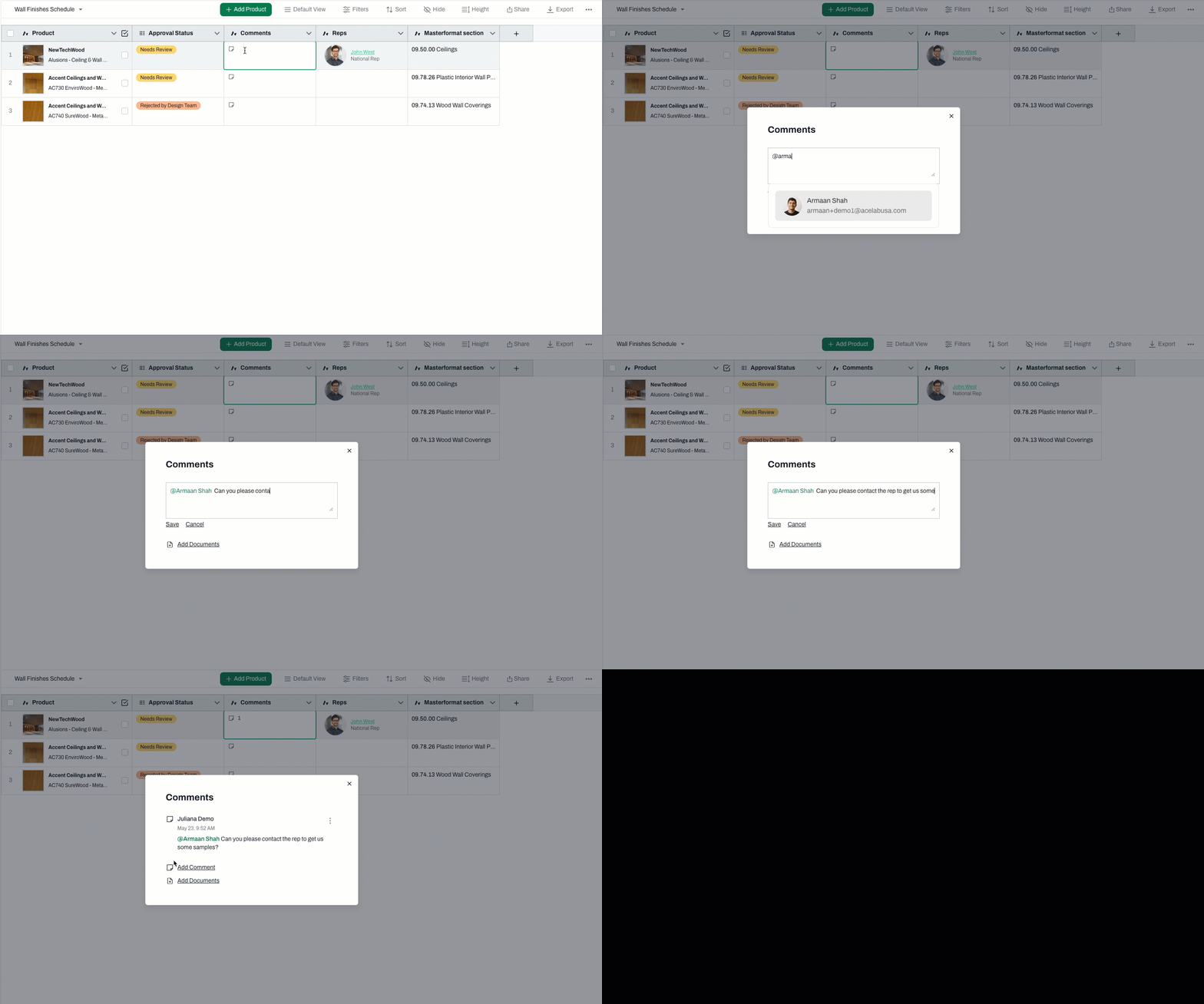
Click on the comment icon in the cell where you wish to add a comment
2
Type '@' to trigger a dropdown list of all collaborators in this project
3
Select the collaborator's name and write your comment
4
Click Save and close the window
5
Tagged users will receive an email letting them know they have been tagged
6
An indicator will appear on that cell whenever there are unread comments that tagged you
📚 Keep Learning 📚