

How to Change a Product’s MasterFormat Section
There are two ways of changing a product’s masterformat section:- Use the Change Masterformat Section function
- Drag and drop products to a different section
Using the Change Masterformat Section function
- Locate the Product you wish to reclassify in your SpecPlanner
-
Click the three dots (⋮) at the end of the product row
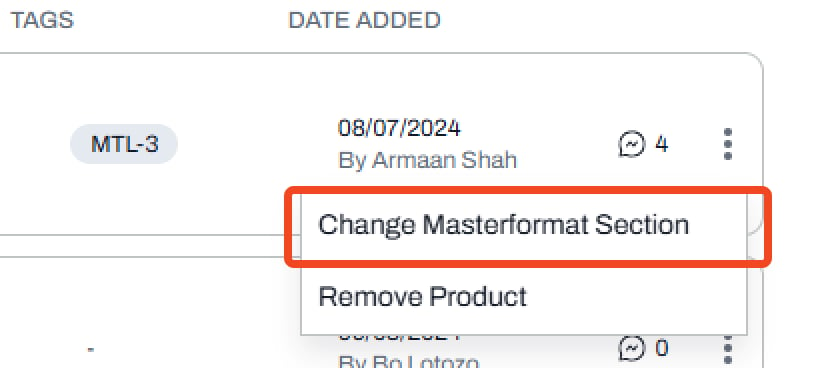
- Select Change Masterformat Section from the dropdown
- Choose a New Section from pre-defined Masterformat Sections
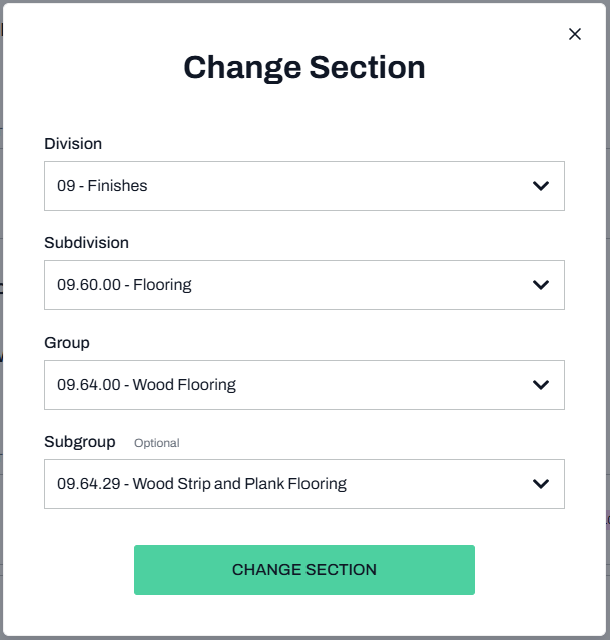
Note: You can move a product to a Masterformat section that isn’t currently visible in your SpecPlanner. Once moved, that section will automatically become visible.
Drag and drop products to a different section
This method is quite simple: click on the six dots to the left of the product picture to drag and drop it in a different sub-section, or entirely different masterformat section- You can also drag products to reorder them within the same section or sub-section.
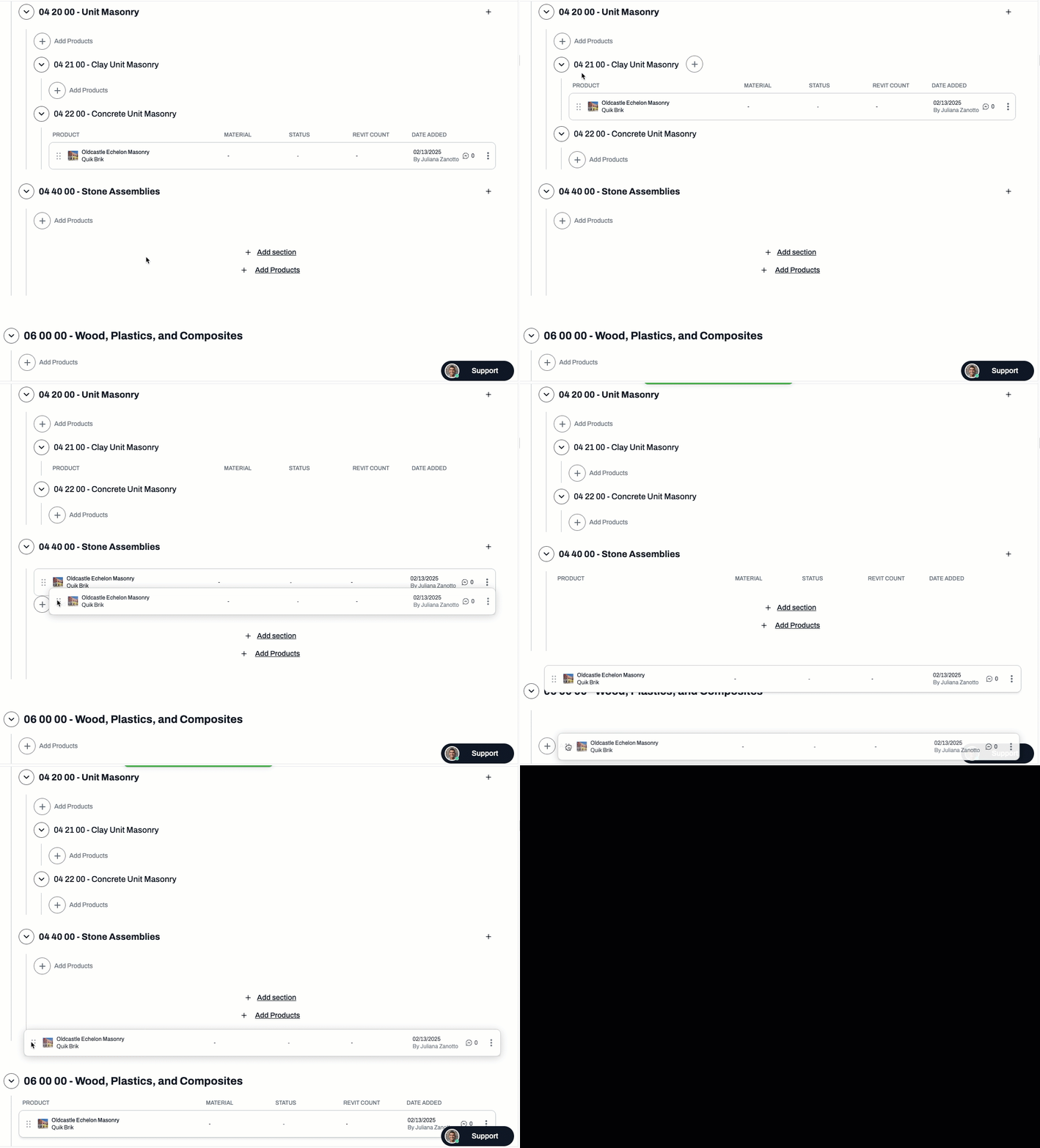
Note: In both methods, the masterformat section field will automatically change in Schedules to match the section in SpecPlanner.
📚 Keep Learning 📚