

1. Using the Manage Section Option
Use this option to add/remove multiple sections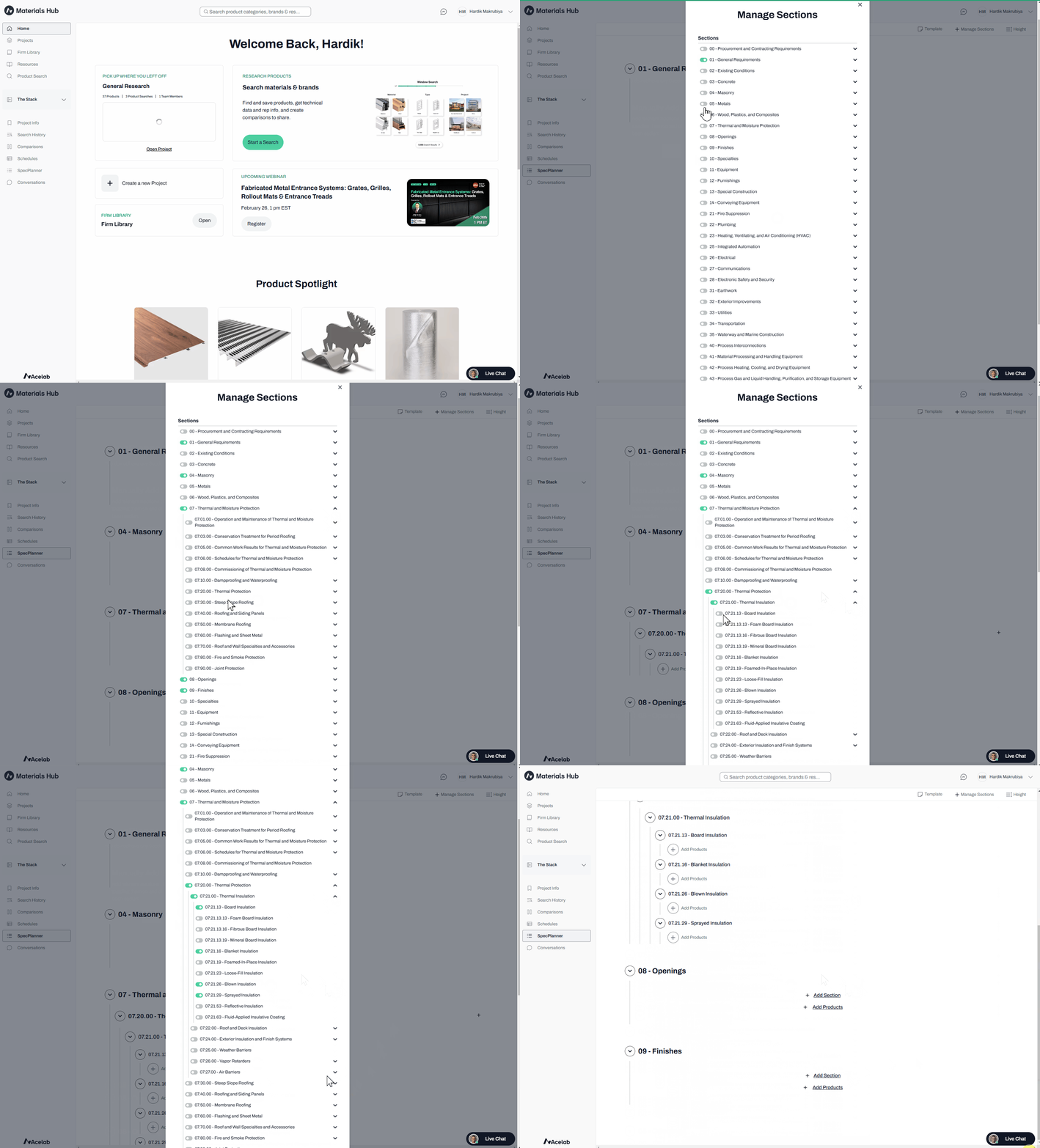
-
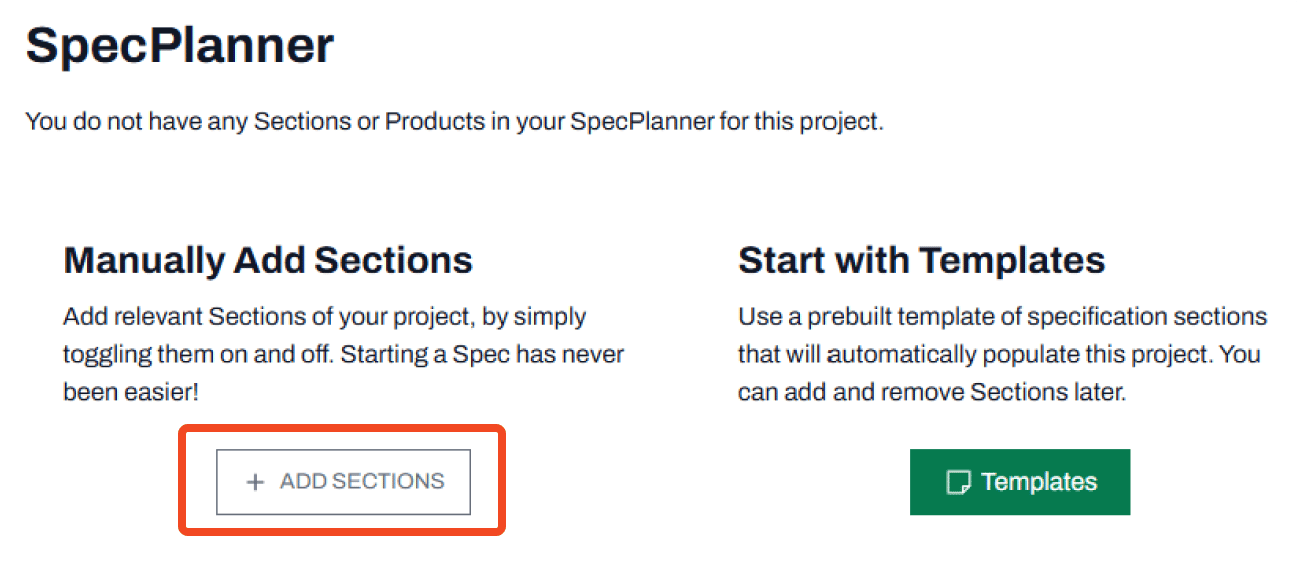
If starting with an empty SpecPlanner, click the Add Section button
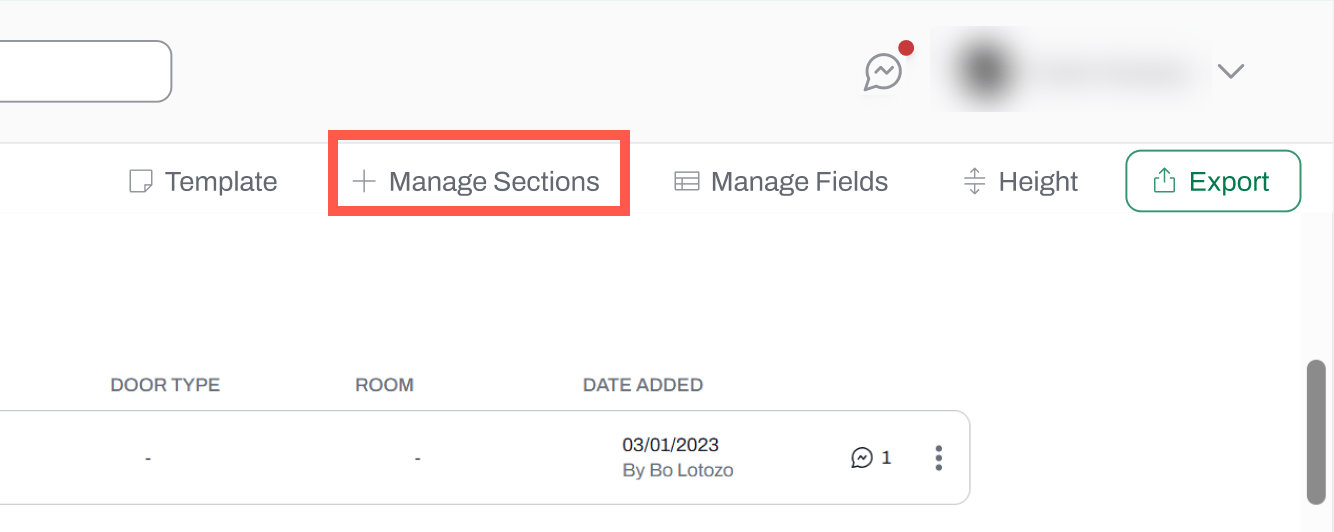
- If updating an existing SpecPlanner, click Manage Section in the navigation bar
- Toggle on/off the sections you want to add (green indicates selection)
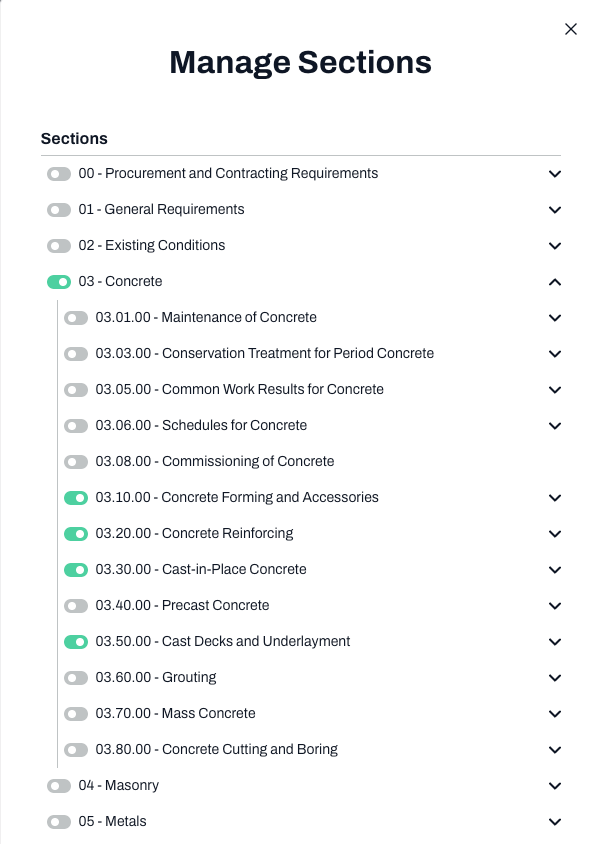
- Use the down arrow to selecting subsections (when selected, subsections will automatically make its parent section or division visible)
2. Using the Section option
This method adds sections within a specific sub-division, one MasterFormat section at a time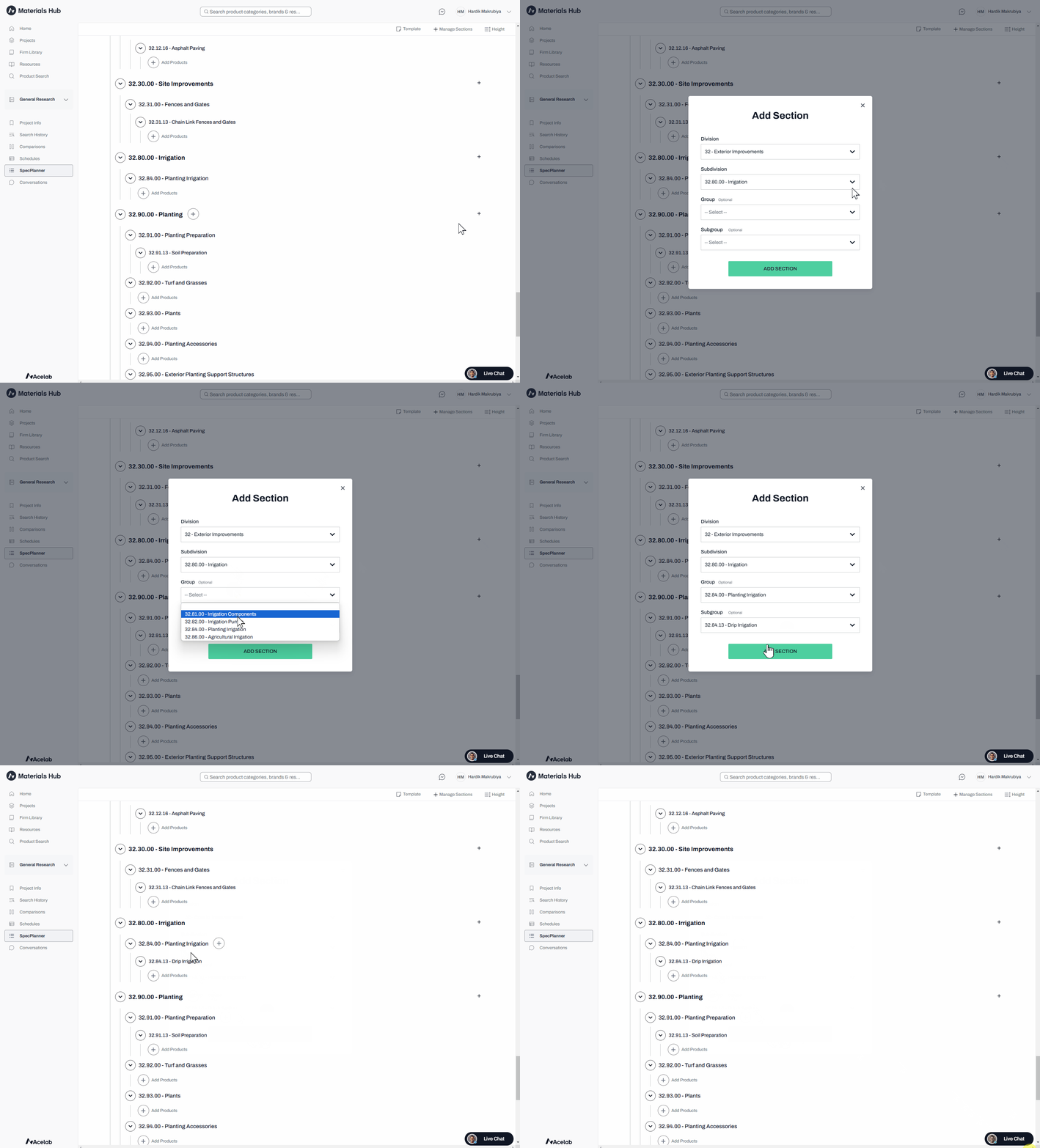
- Click the ”+” button next to the desired Sub Division
- Select the Group and Sub Group
Best Practices
- Review your project scope before adding sections
- Use the Manage Section option for initial setup or major revisions
- Use the Add Section Option to fine-tune or add individual sections
- Regularly review and update your sections to keep your SpecPlanner relevant and efficient
📚 Keep Learning 📚