

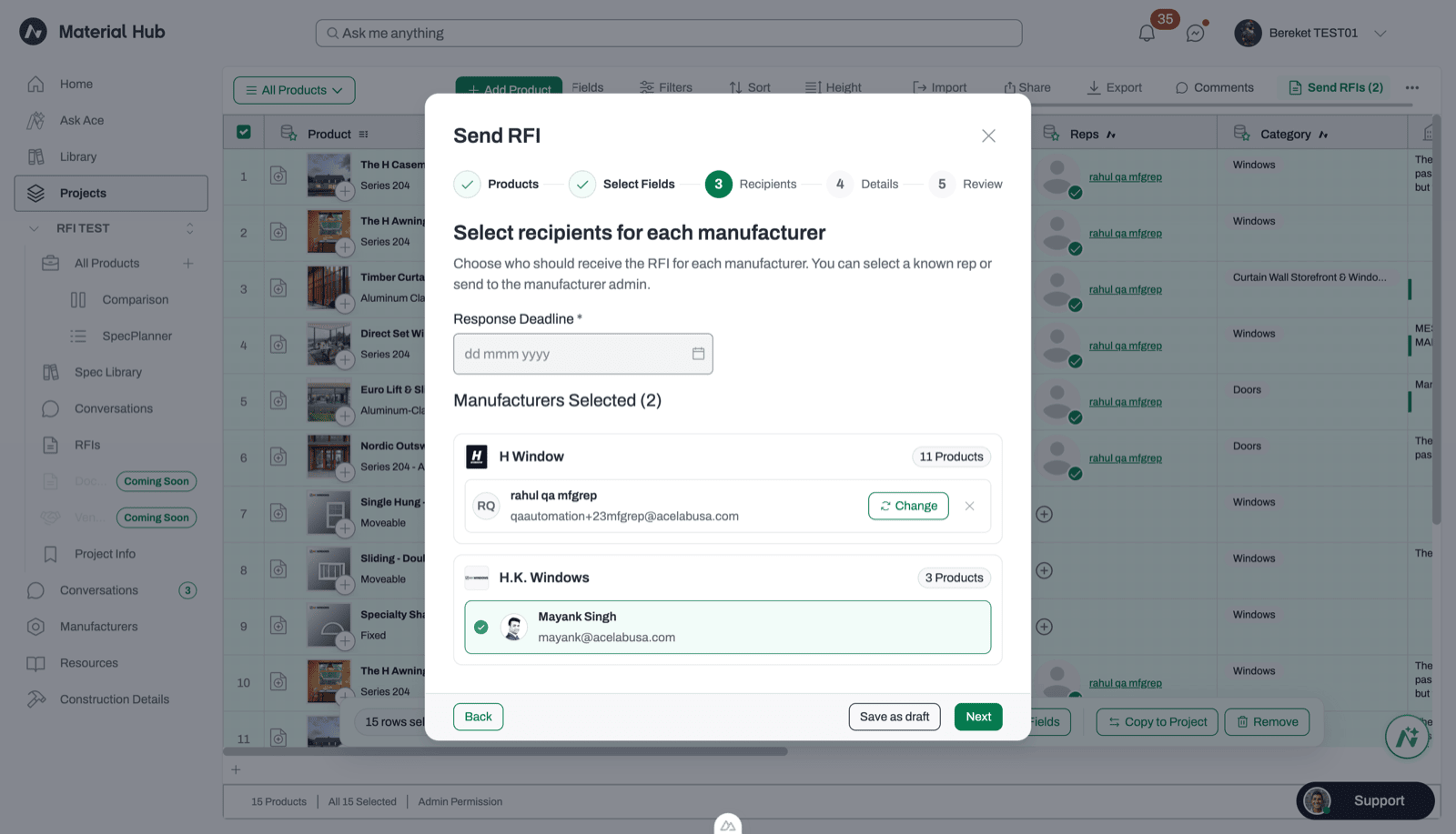
Set the Response Deadline on the Recipients step of the Send RFI wizard. The earliest date you can choose is tomorrow.
When an RFI becomes overdue
If the manufacturer hasn’t submitted by the deadline, the RFI becomes overdue:- It shows an Overdue badge on your dashboard and its deadline turns red. It stays in its current status column.
- It locks for the manufacturer. They can’t edit or submit their response.
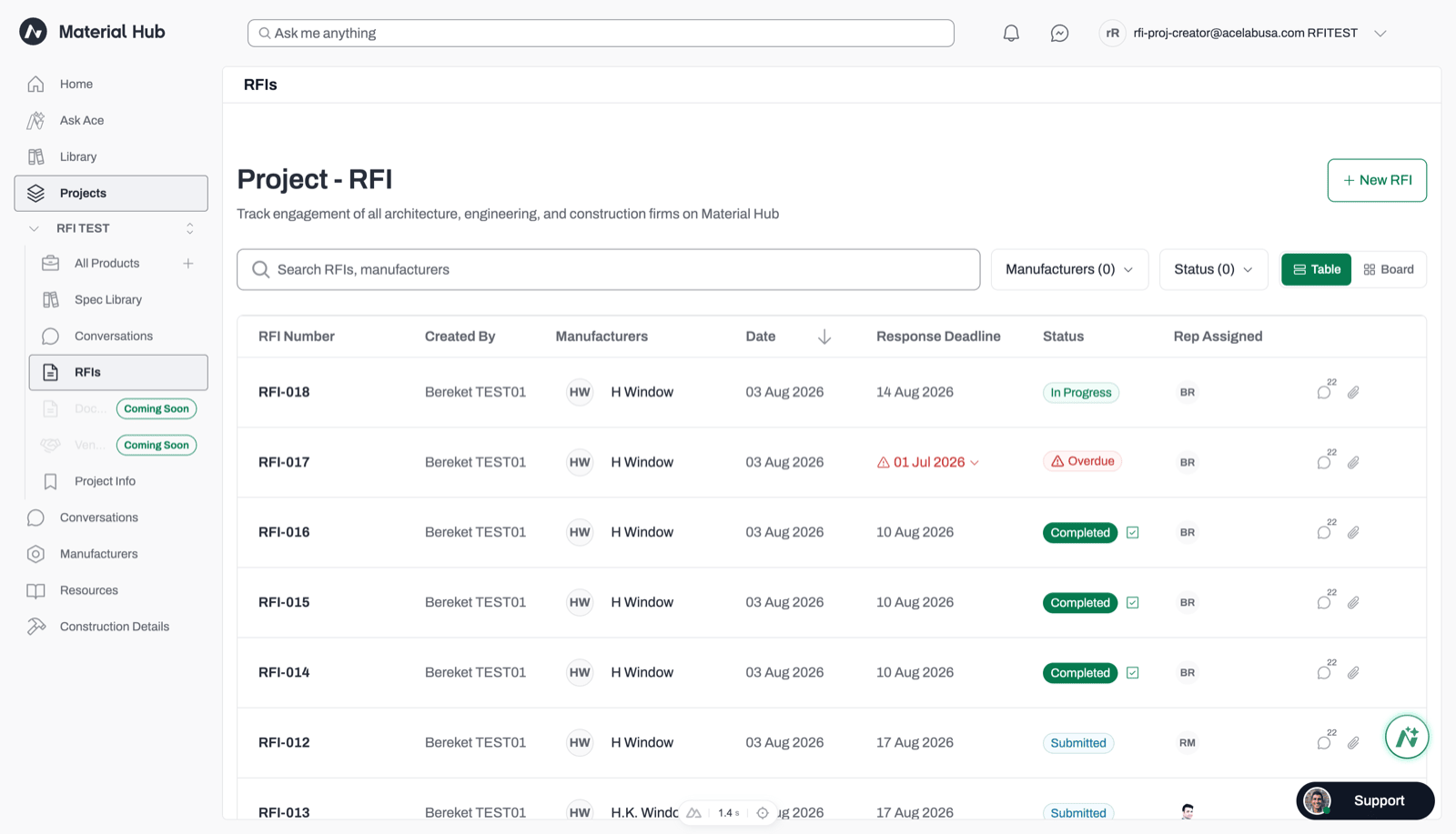
On your dashboard, an overdue RFI shows its deadline in red.
Requests to reopen
When an RFI is locked, the manufacturer can send you a Request to Reopen. You’re notified in the app and by email. The request doesn’t change the deadline or status on its own. Only you can reopen the RFI, by extending the deadline.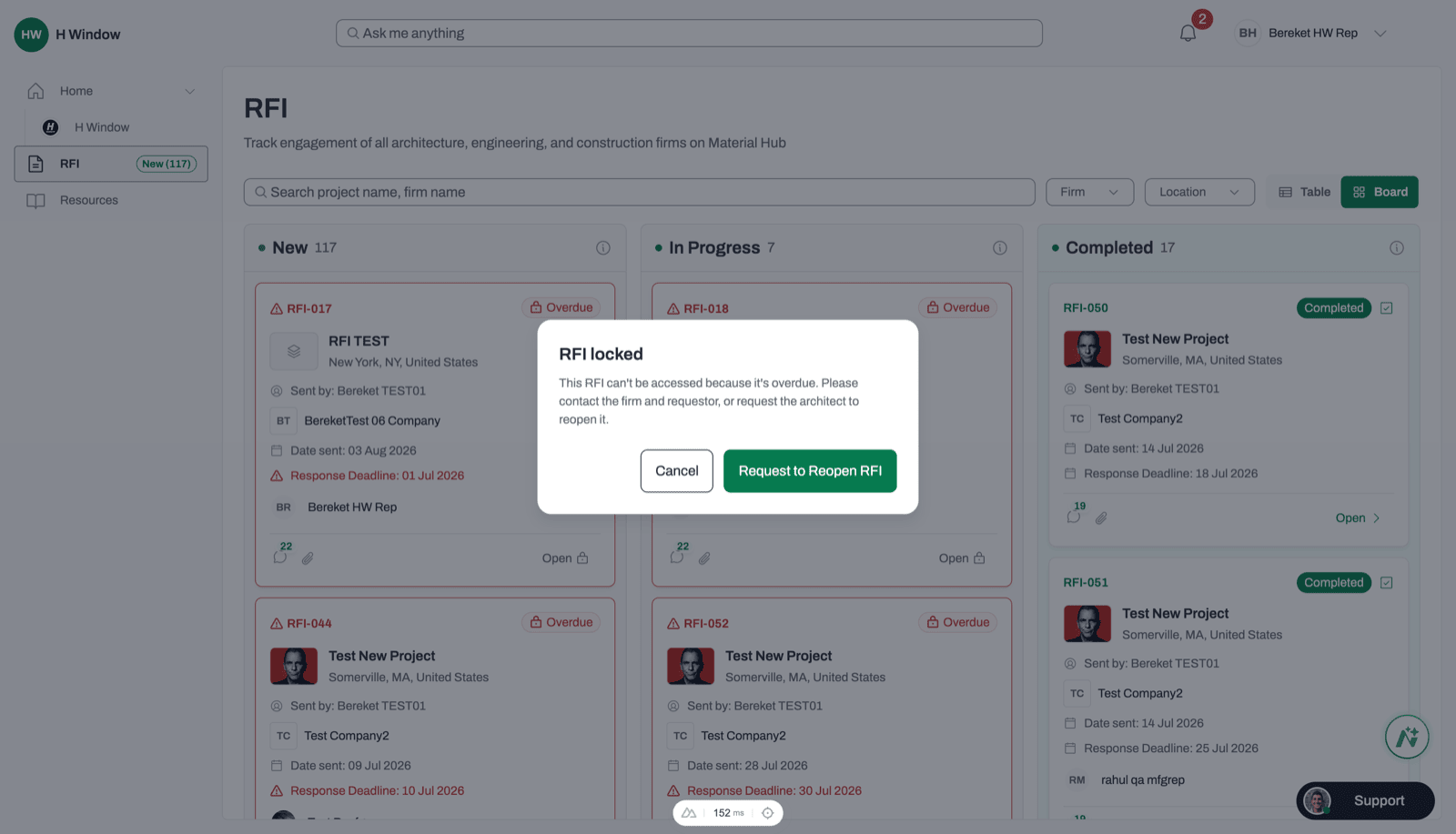
What the manufacturer sees when they open an overdue RFI. Request to Reopen RFI sends you a notification.
Extend a deadline
- Open the project’s RFIs dashboard.
- Click the overdue RFI to open its details panel. In Table view, you can also use the extend control next to the deadline.
- Click Extend and choose a new date.
You can only extend a deadline while the RFI is overdue. You can’t extend a deadline that hasn’t passed yet, or an RFI that’s Completed or Closed.
What happens after you extend
- The Overdue badge is removed.
- The RFI returns to In Progress if the manufacturer had already started answering, or Submitted if they hadn’t.
- The manufacturer can edit and submit again, and is notified that the RFI has reopened.
Who can extend a deadline
Project Admins, Creators, and Editors can extend deadlines. Viewers can’t. See RFI roles and permissions.Related articles
Tracking RFIs
Find overdue RFIs on the dashboard.
RFI Overview
Review RFI statuses and how RFIs work.