Before You Begin
- You must be a project Admin, Creator, or Editor to use Smart Docs.
- Products must be saved to your project schedule before they can be included in a document.
Smart Docs require an AECO Pro plan. Click to get access
What Can You Do With Smart Docs?
Generate Documents From Your Project Data
Smart Docs automatically compiles product information from your project into a formatted document. Any field you track in Schedules (product name, manufacturer, MasterFormat section, custom fields, attachments) can be included, so the document always reflects the latest state of your project.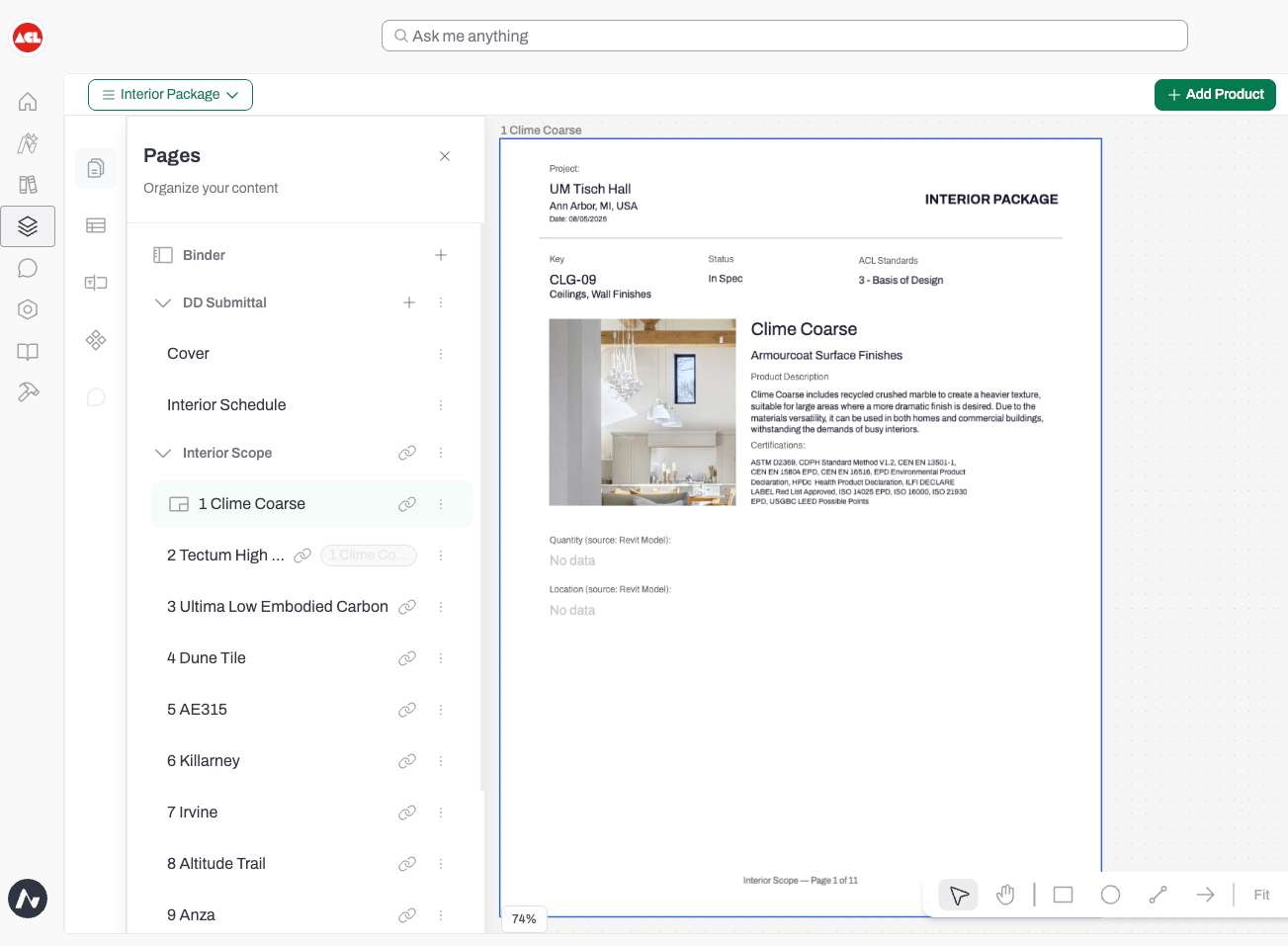
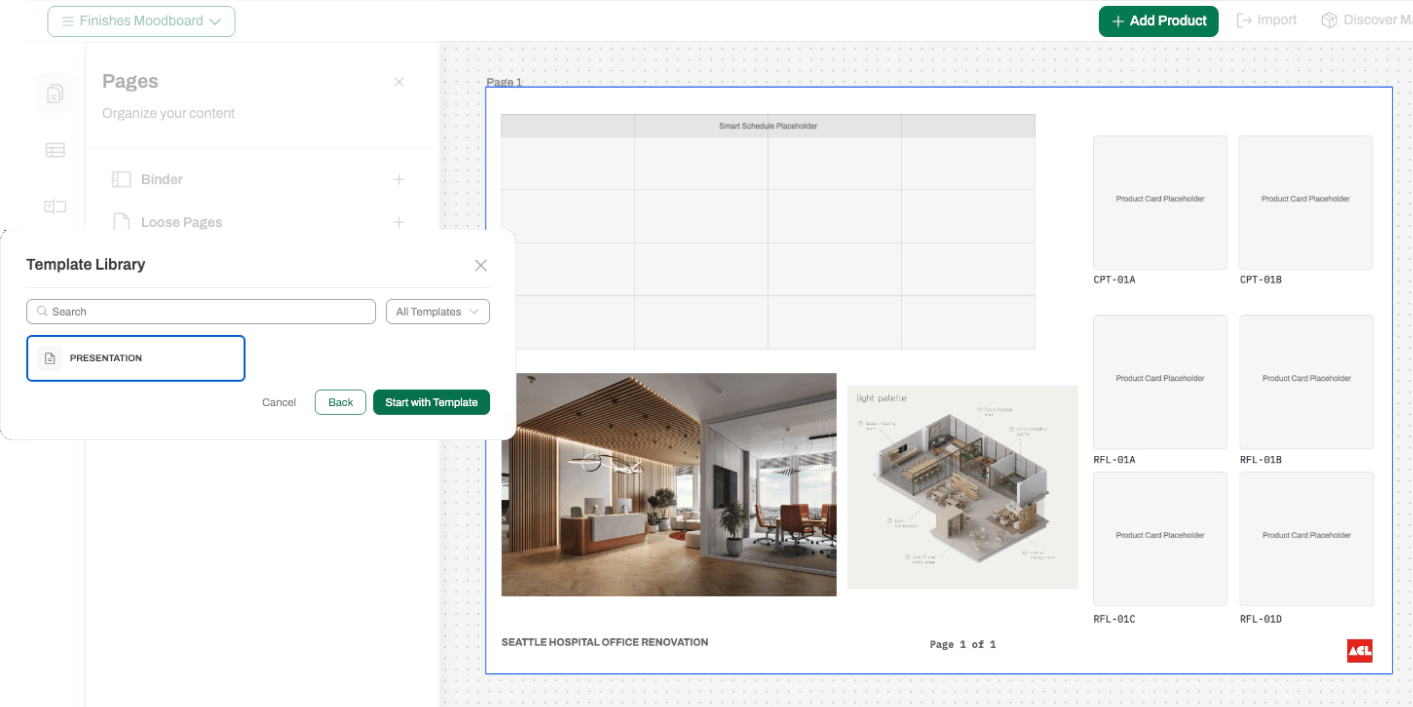
Use Templates for Consistent Output
Save a document layout as a template and reuse it across projects. Templates control which products are included, which fields appear, section order, and formatting, so every document your firm sends looks the same regardless of who created it.- Firm Templates are saved at the firm level and available to everyone at your firm.
- User Templates are saved for individual reuse.
Stay in Sync With Schedules
Smart Docs reads directly from Schedules. When a product is added, removed, or updated in a schedule, regenerating the document reflects that change automatically. There is no separate list to maintain.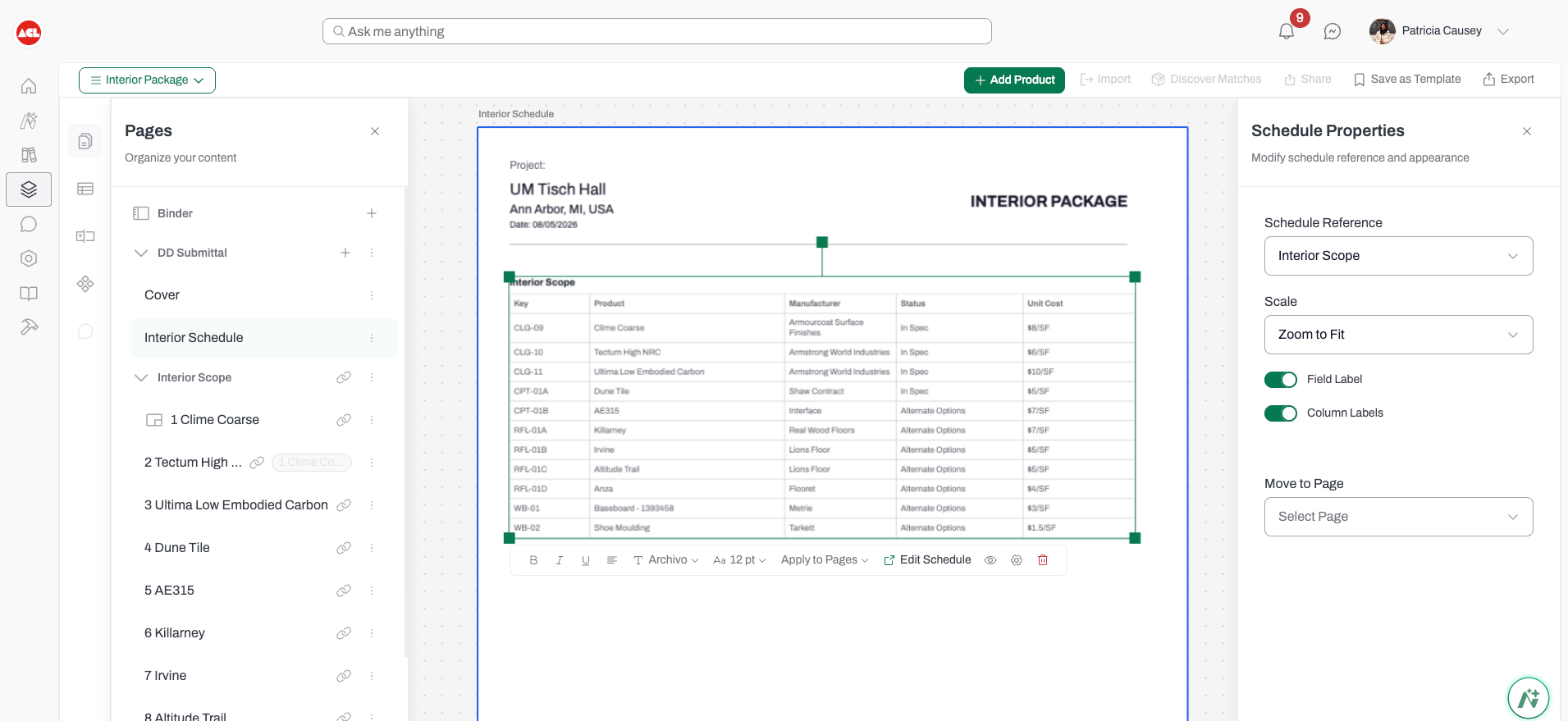
Export and Share
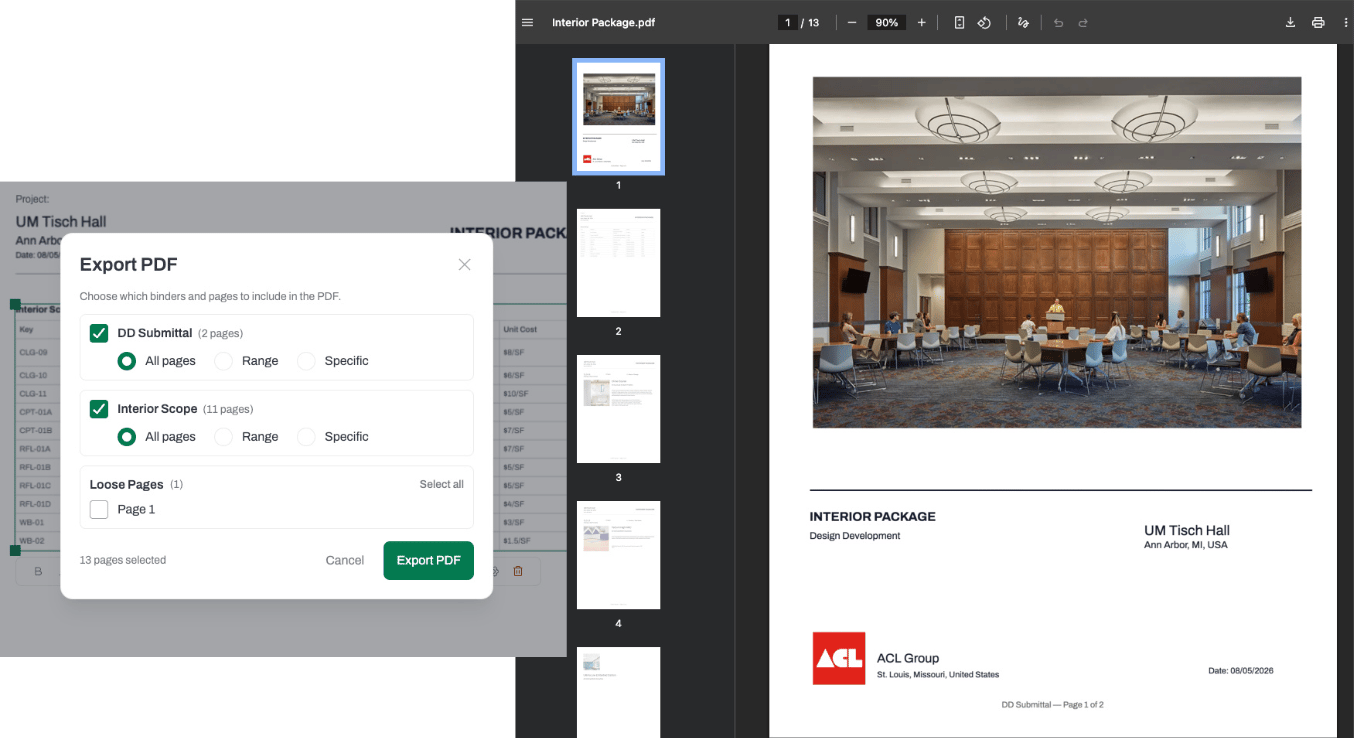
Export your document to share with clients, consultants, or manufacturers. Documents include the fields you selected, product metadata, and any attachments referenced in your schedule